
The Loft Tickets
Sign in: theloft.com/wp-admin · Venue: 1032 Broadway, Columbus, GA 31901
These are the ULG wiki’s own steps for The Loft. For the why behind each step, and optional extras like ticket types and check-ins, see Setting up tickets.
-
Sign in to WordPress at theloft.com/wp-admin.
-
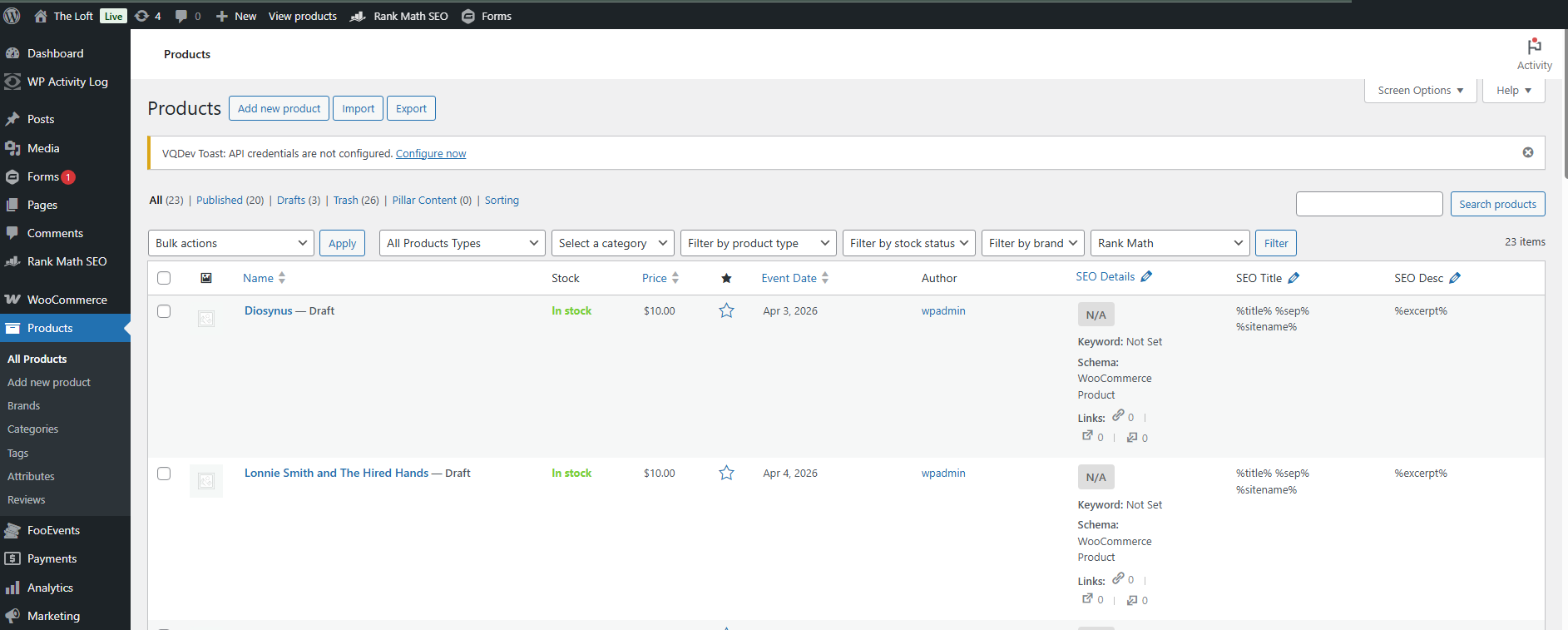
Click Products in the left sidebar.
-
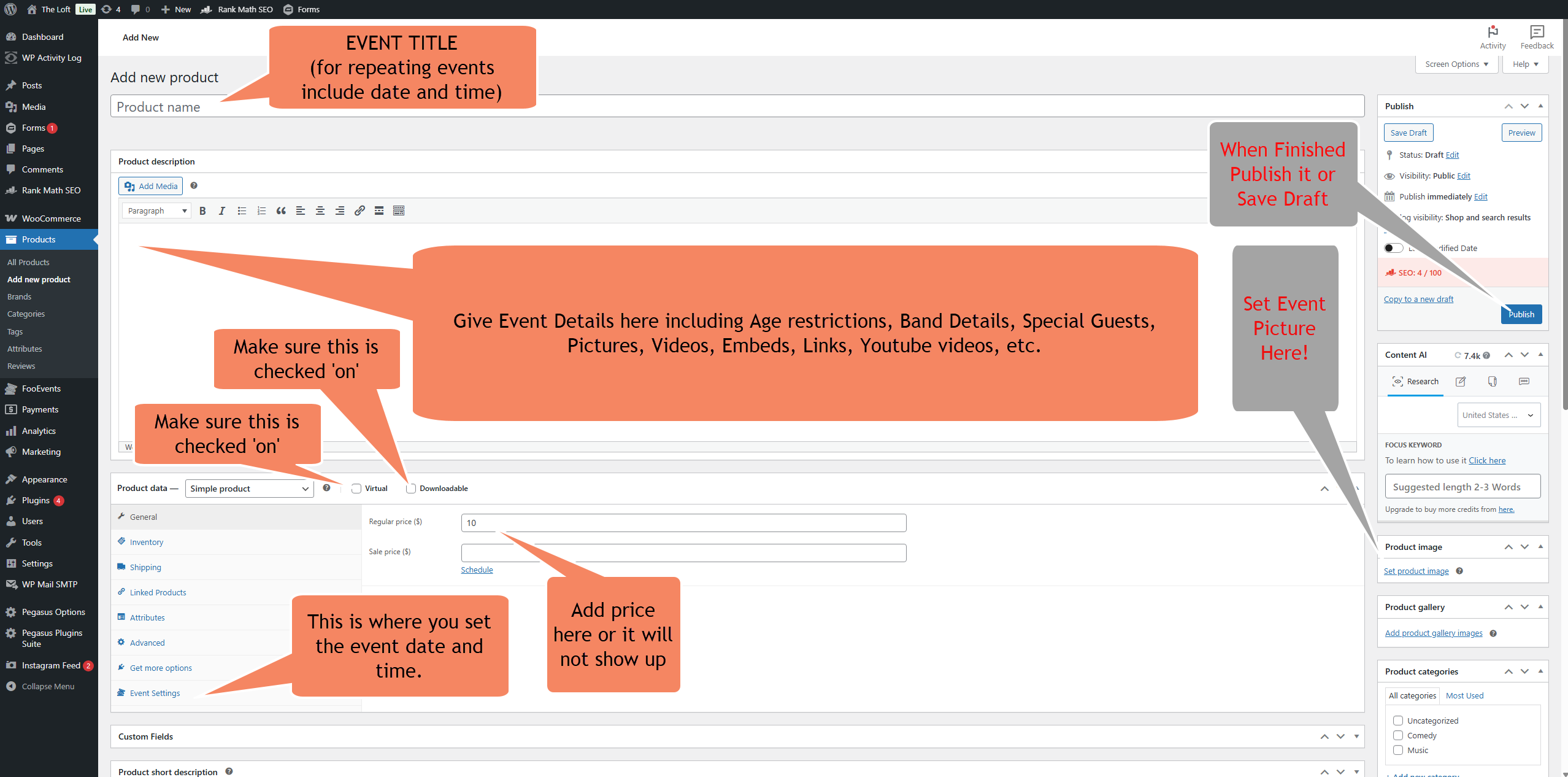
Click Add New Product. You’ll see this screen:
-
Add the title where it says Product Name. For repeating events, include the date and time.
-
Add the band descriptions in Product Description. Include age restrictions, special guests, pictures, videos, embeds, and links as needed.
-
In Product data, make sure it’s a Simple product and that both Virtual and Downloadable are checked.
-
Set the Regular Price (default $10). Add a price or the event won’t show up.
-
Click Event Settings.
-
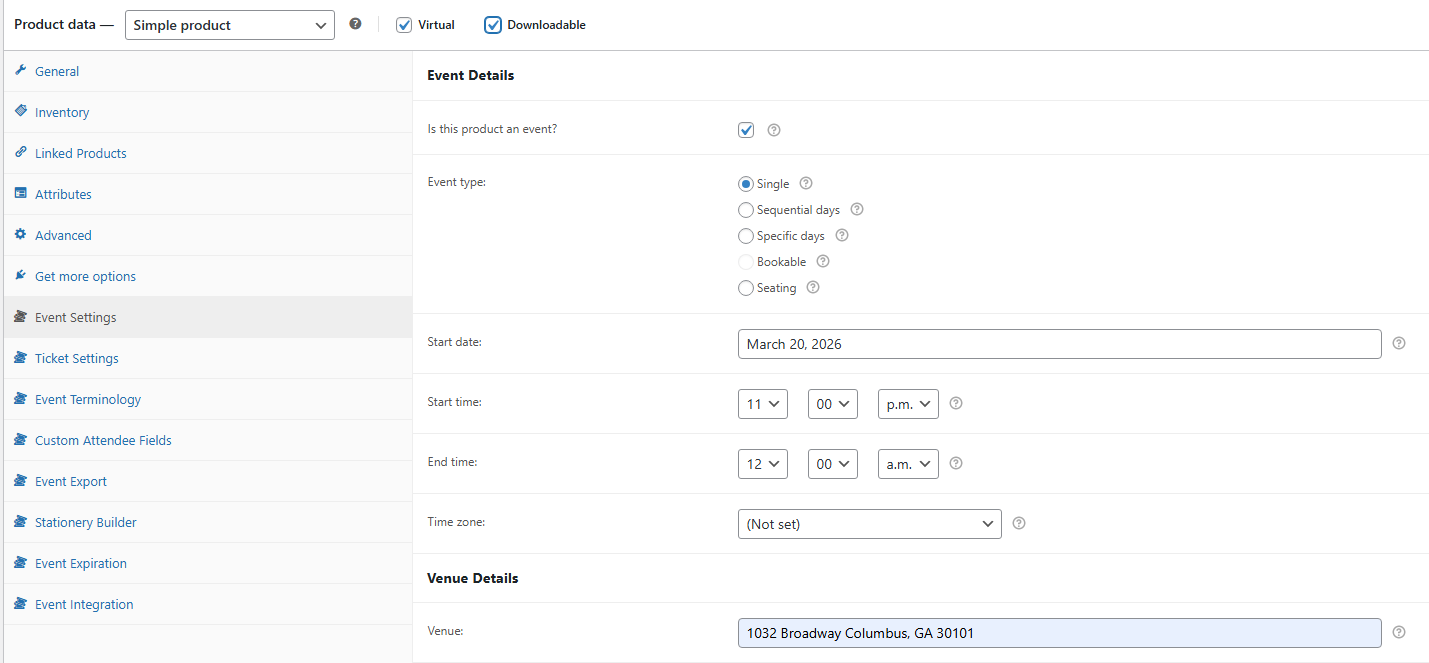
Tick “Is this product an event?” to enable it.
-
Enter the event details:
- Event type = Single
- Start date = the event date
- Start time = the event start time (include p.m.)
- End time = the event end time (include p.m.)
- Venue = 1032 Broadway Columbus, GA 31901
-
In the right sidebar, add the Product image.
-
In the right sidebar, add the Product categories.
-
In the right sidebar, add the Product tags.
-
When finished, click Save Draft or Publish.
Loft-specific notes
Section titled “Loft-specific notes”- Categories: the Add Product screen shows Comedy and Music categories. Published shows on theloft.com use Music.
- Naming: published shows are named with the act and date, e.g. “superstar 11/13”.
- Plugins: The Loft also loads FooEvents Calendar and FooEvents Seating (for seat selection), as well as core FooEvents.
- Recurring and multi-show nights: ULG’s planning notes describe recurring comedy and jazz nights (Wednesdays and Thursdays), some nights with two show times, and touring bands as one-off events. Until there’s a dedicated setup, create one product per show and time, and put the date and time in the title so reports stay clear.
- Door-only sales: the same notes call for online sales to stop at a set time, with tickets then sold only at the door. Use Event Expiration; see Setting up tickets.
- Free shows: TODO: confirm with ULG.